Every control, one click away.
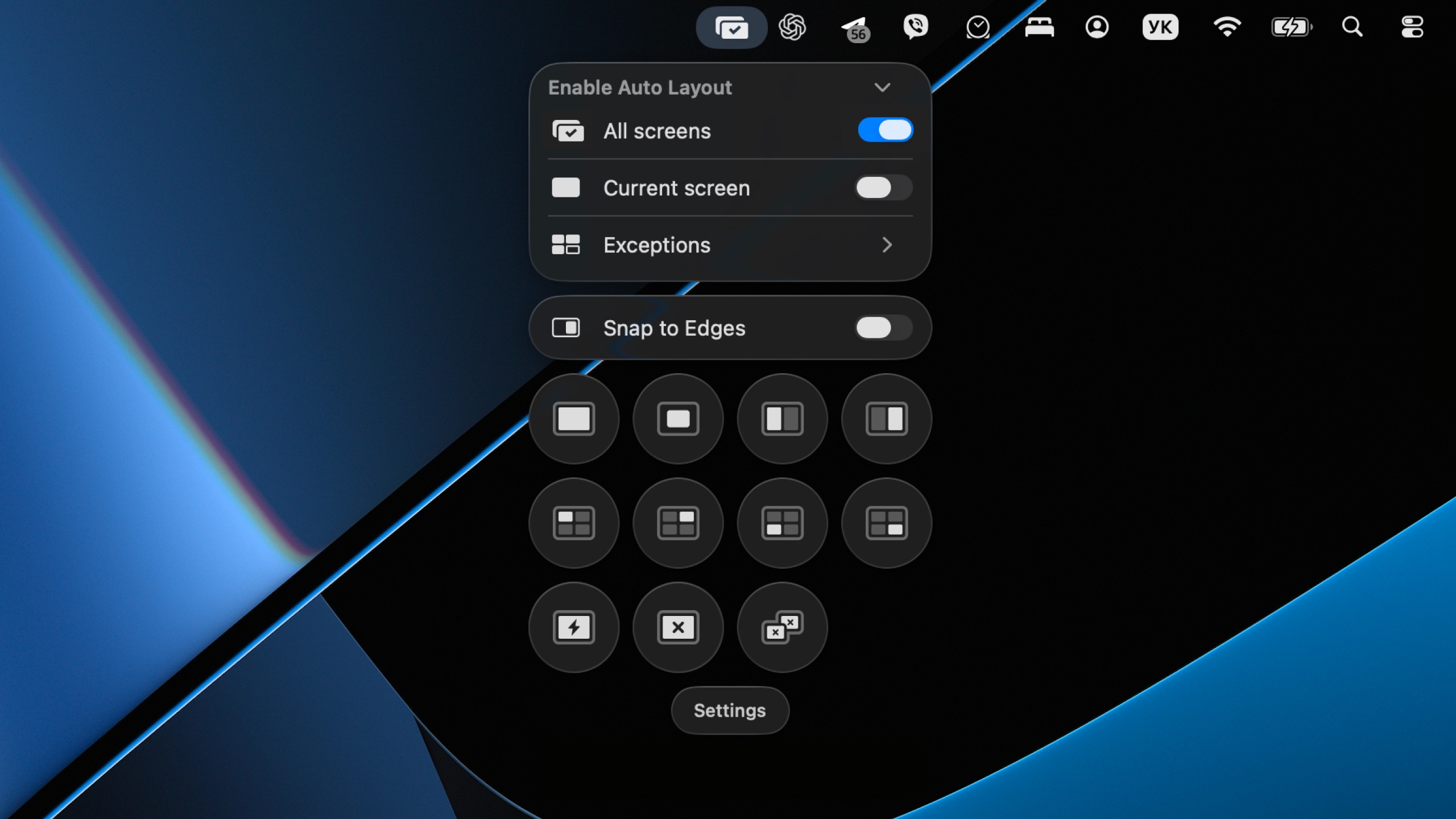
One small panel in the menu bar. The layouts it offers change with the number of windows you have open, so there's never more on screen than you need.
Offset quietly keeps every window in its place, so your desktop stays clear and your attention stays where it belongs.
Download for MacmacOS 14+ · Intel and Apple Silicon
One small panel in the menu bar. The layouts it offers change with the number of windows you have open, so there's never more on screen than you need.
Offset analyzes the windows you already have open and instantly builds a clean layout that fills the available space. No dragging, no resizing, no manual adjustments.
Drag any window toward an edge or corner and Offset snaps it to fill that space instantly — the fastest way to put two windows side by side.
Quickly align your windows, close the active window, or clear them all at once — without switching apps or managing windows manually.
Drag an edge in Auto Layout and neighboring windows grow or shrink with it in real time — the whole screen stays filled, no gaps, no overlaps.
Explore everything, risk-free.
Pay once. Use forever.
14-day money-back guarantee — no questions asked.
macOS only lets apps move and resize other windows through the Accessibility API. Offset uses it exclusively for window positioning — it never reads what's inside your windows.
A few. macOS only exposes windows to window managers through the Accessibility API, and some apps publish nothing there — Apple's Device Hub is one. Full-screen windows own their own Space and can't be moved by any app, and dialogs and panels are left alone on purpose. Windows with a fixed or minimum size are moved, but keep their size.
App Store sandboxing doesn't allow apps to manage other apps' windows. Offset is distributed directly, signed and notarized by Apple.
Offset supports macOS 14 (Sonoma) and later. It ships as a universal build, running natively on both Intel and Apple Silicon Macs.
Get your desktop organized in one click.
Download for MacmacOS 14+ · Intel and Apple Silicon
Private by design. Offset runs entirely on your Mac — it never records your screen and never reads the contents of your windows.